
The open source
desktop agent.

Use any model from any provider. Open source and local-first — your data never leaves your machine.
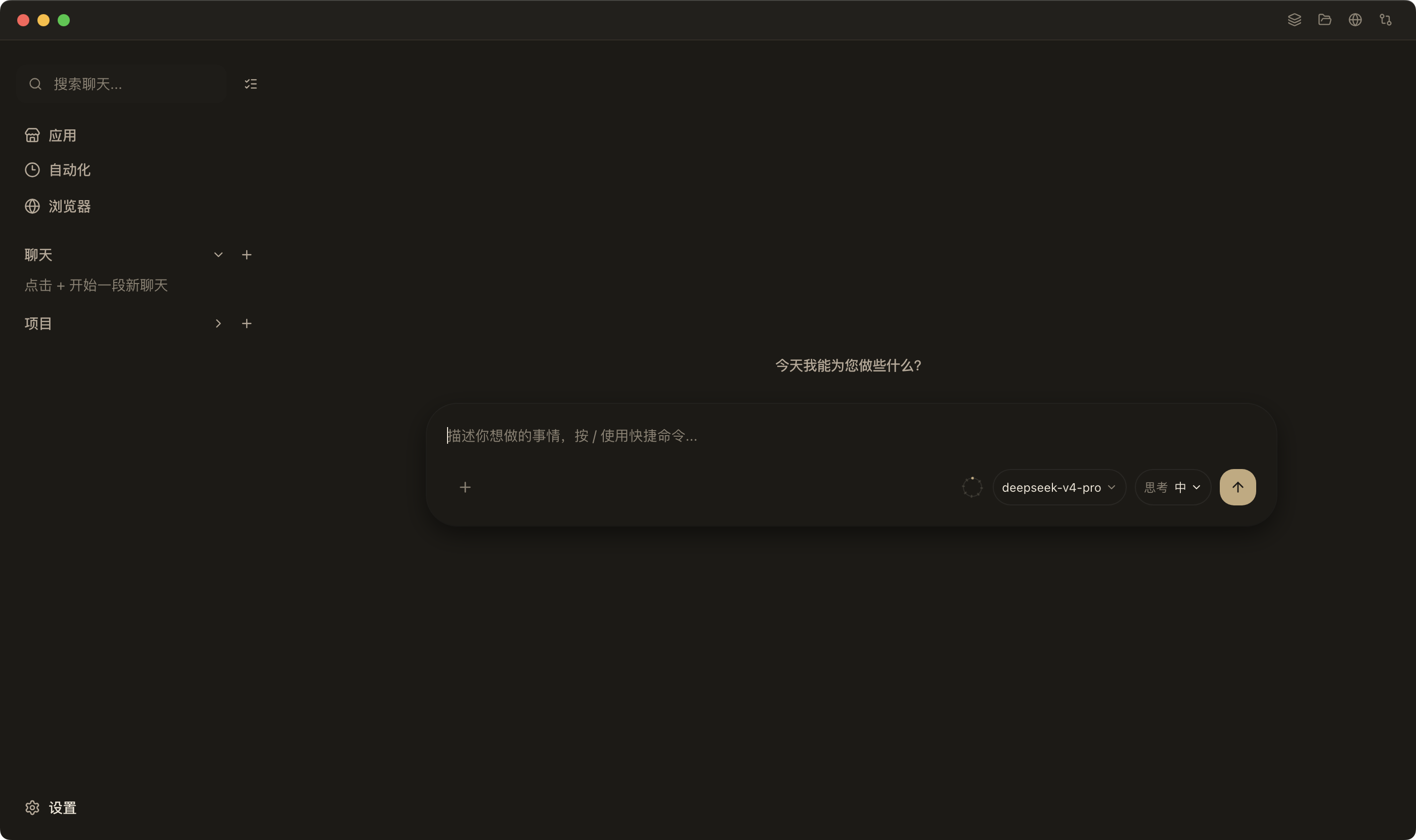
Saved flows
Reuse finished work
Any model
Bring your own key
Open source
Inspect & contribute
Cross-platform
macOS, Windows, Linux

An AI assistant that works alongside you on your desktop.

Tell it what you need done — research something, update a spreadsheet, draft a reply — and it uses your browser, your tools, and your model key to complete the task. When it's done, it saves the entire workflow. Next time, run it again in one click.

Works on your actual desktop

Opens your browser, fills forms, moves data — like a coworker sitting next to you.

Saves the process, not just the result

Every completed task becomes a reusable flow. Your library grows naturally as you work.

Use cases that repeat

Research summaries, dashboard updates, routine replies, recurring reports.

No setup required

Start with a real task, not a template. DeskWand figures out the steps with you.

See DeskWand in action.

Four real workflows, shown in fifteen seconds each.

Everything you need to stop repeating yourself.

DeskWand handles the task, remembers how, and keeps it ready for next time.

Saved flows

Every task you complete becomes a reusable flow. Your personal library grows naturally as you work.

Your model, your key

Connect any model from any provider — Claude, GPT, Gemini, or local models. You're never locked in.

Cloud sync

Sign in once and your saved flows follow you across Mac, Windows, and Linux.

Share with your team

Keep flows to yourself or share useful ones. Good work shouldn't stay trapped on one machine.

These saved flows are powered by DeskWand's Skills Cloud.

Built for privacy, open by design.

DeskWand is open source and local-first. Use your own model key. Cloud sync is opt-in — never required.

Open source

Every line of code is public. Read it, fork it, contribute to it.

Local-first

Your data stays on your machine. Cloud sync is opt-in, never required.

Your model key

Use Claude, GPT, Gemini, or local models. No vendor lock-in.

Download DeskWand

Open source. Free to use. macOS, Windows, Linux.

Recent updates

What's new in DeskWand.

  1. v1.0.24 2026-08-03
    • New Zhipu GLM-4.6V-Flash vision model with CN/Global region endpoints
    • Global memory on by default, plus a unified Apps view (Skills Cloud / Plugins / Automation)
    • Fixed subagent tool & plugin loading; goal elapsed time now updates live
  2. v1.0.23 2026-08-02
    • New channel runtime with Telegram, Discord, QQ, Slack, WeChat & Feishu adapters
    • Pi extension compatibility plus a marketplace of 6,437 installable packages
    • Fixed per-session API key isolation (DeepSeek 401s) and chat auto-follow scrolling
  3. v1.0.22 2026-07-23
    • Goal state persisted to SQLite, auto-recovered after restart
    • Per-subagent thinking levels and a new built-in Review agent
    • Fixed context compaction strategy and initial window sizing

Questions you might have

DeskWand works best for computer tasks that repeat: research, updates, follow-ups, routine admin work, and recurring documents or reports.

No. DeskWand helps complete the task first, then keeps the finished process so it can be reused later.

If the task is repeatable, DeskWand can keep the finished process so similar work can be done again without starting from scratch.

Yes. Sign in and keep your saved flows available across devices.

Yes. Keep personal flows for yourself, or share useful ones with others when they're worth reusing.

Yes. DeskWand is local-first and open source. You can use your own model key and keep your setup under your control.